Developer Mac storage full: where the space went, and what is safe to delete

On a Mac used for programming, a large share of the disk is usually things the tools made: dependency folders, package caches, Xcode's build data and simulators, a Docker disk image. macOS counts much of it as "System Data" and lets you manage none of it from Storage settings.
Here is where each of those lives, how to check it, and what can go.
Measure first
Two commands show where the space is:
du -sh ~/Library ~/dev 2>/dev/null
du -sh ~/Library/* 2>/dev/null | sort -h | tail -15
Put your own projects folder in place of ~/dev. A few folders may answer "Operation not permitted"; that is fine for a first look.
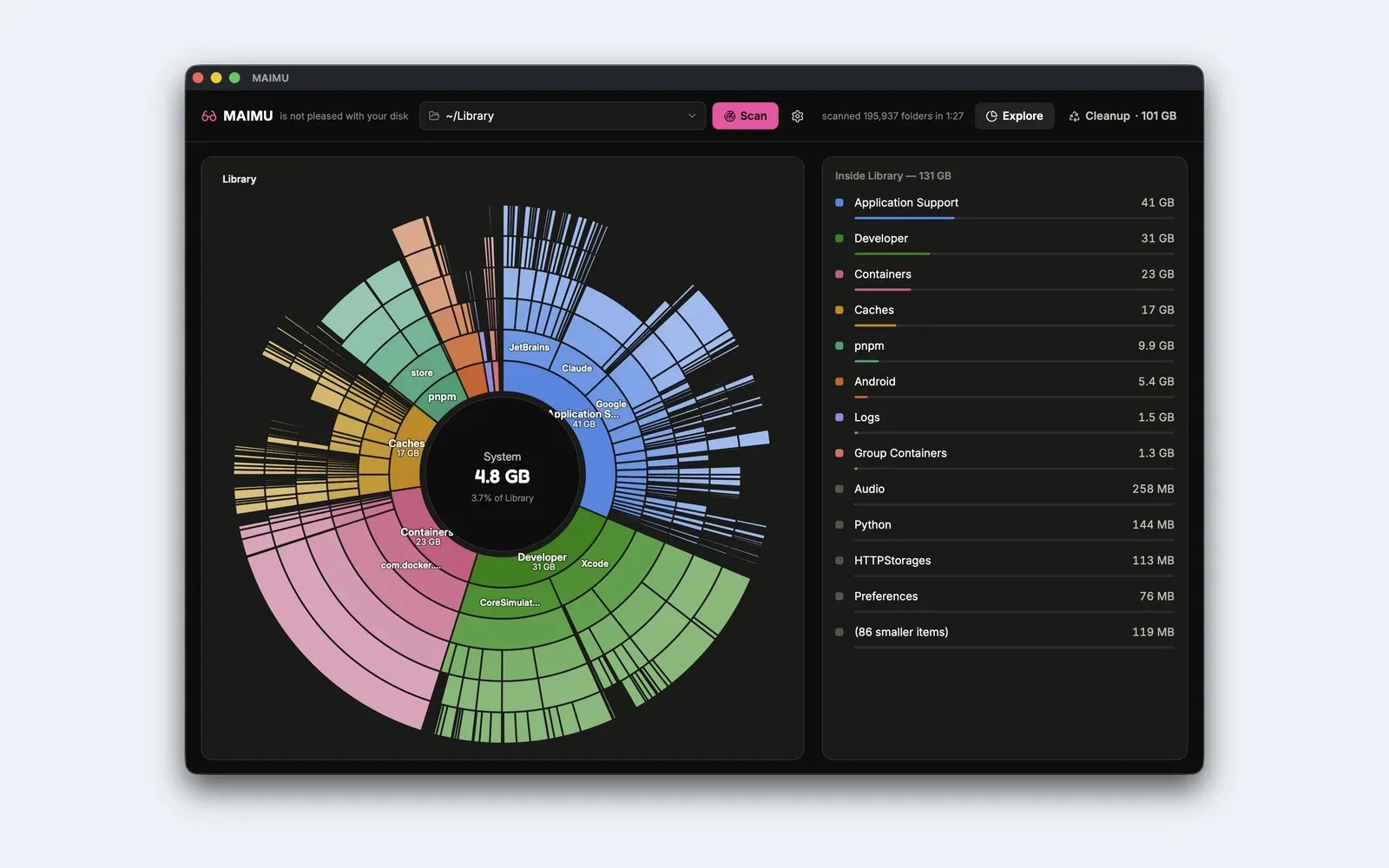
On the Mac in the picture, ~/Library alone held 131 GB, with Xcode's Developer folder at 31 GB. We wrote separately about what System Data really is.
node_modules and build folders
Each JavaScript project keeps its own node_modules, and build tools leave output folders such as dist, build, .next, .nuxt and target. An install or a build makes them again.
To list every node_modules with its size, largest last:
find ~/dev -name node_modules -type d -prune -exec du -sh {} + | sort -h
-prune stops find from walking into each one, which keeps it quick. Remove the ones for projects you are not working on; npm install or pnpm install brings a folder back when you return.
Package-manager caches
- npm keeps its cache in
~/.npm/_cacacheand never trims it on its own.npm cache verifydrops what it no longer needs;npm cache clean --forceempties it. - pnpm:
pnpm store pruneremoves packages no project references, and pnpm's docs say it has no side effects on your projects.pnpm store pathshows where the store is. - Yarn 1:
yarn cache clean. Yarn 2 and later:yarn cache clean --mirrorfor the shared cache. - Homebrew:
brew cleanupremoves old versions and old downloads;brew cleanup -nshows what it would remove first. - CocoaPods:
pod cache clean --all.
Xcode
DerivedData (~/Library/Developer/Xcode/DerivedData) holds build products and indexes, and Xcode makes it again; the next build and index take longer. Quit Xcode before deleting it. Our step-by-step for DerivedData and DeviceSupport goes further.
Simulators and runtimes: in Xcode, Settings › Components lists what is installed and how much space each frees, and deletes it there. xcrun simctl delete unavailable removes simulators whose runtime is gone; xcrun simctl help delete explains it.
iOS DeviceSupport holds files copied from each iOS version of the devices you have connected. Versions you no longer debug on are candidates.
Archives are the exception. Apple's guidance is to keep the archive of every build you distribute, or you may not be able to read its crash reports. Delete only archives of builds that never shipped, in Window › Organizer.
Docker
Docker Desktop keeps its images, containers and volumes inside one disk image, Docker.raw. Many tools report its maximum size rather than what it uses; Settings › Resources › Advanced shows both.
docker system df -v shows what is inside. To free space:
docker system pruneremoves stopped containers, unused networks, dangling images and build cache. With-ait removes every image no container uses.--volumesremoves anonymous volumes only. Named volumes, where databases usually live, needdocker volume prune -a; check what is in them first.
Do not move or delete Docker.raw in Finder, and do not lower the disk size limit unless you mean to lose everything in it: Docker's docs say lowering it deletes every container and image.
Old Node versions
With nvm, nvm ls lists the installed versions and nvm uninstall <version> removes one. Global packages installed under that version go with it. nvm cache clear removes downloaded installers.
What to leave alone
- Anything outside your home folder.
~/Library/Mobile Documentsand~/Library/CloudStorage. These are iCloud Drive and your cloud drives; a file deleted there is deleted from the cloud too.- Archives of builds you shipped.
~/Library/Cachesas a whole. Clear one app's folder at a time, with that app quit.
MAIMU, if you would rather see it
We made MAIMU, a Mac app, for this list. It draws the disk as a sunburst and finds most of the places above:
node_modulesand build folders in your projects folder (~/devunless you add others in Settings), with projects that have had no commit for 60 days marked stale;- package caches, DerivedData, DeviceSupport, Archives and the simulator folders;
- old Node versions installed with nvm, never the one in use;
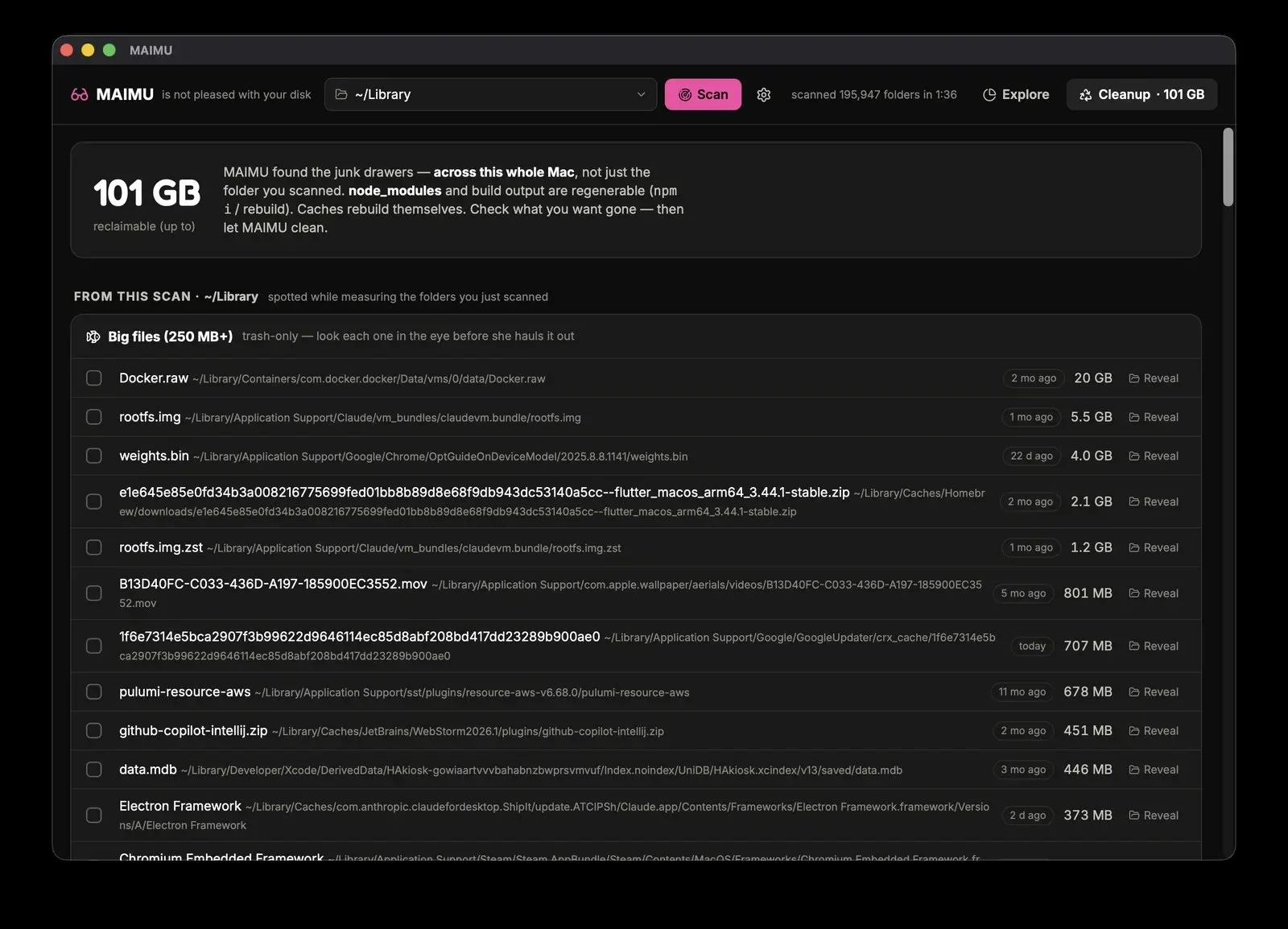
- big files of 250 MB or more, which is where
Docker.rawturns up.
Docker's data and your cloud drives it lists but does not clean; for Docker, use Docker's own commands above.
It deletes only inside your home folder and only what the scan found. Things go to the Trash unless you choose permanent delete, files over 250 MB only ever go to the Trash, and every deletion is logged. Scanning is free; cleaning is €9.99 once, with the licence checked offline. macOS 11 or later. maimu.app